Showing posts with label presentation. Show all posts
Showing posts with label presentation. Show all posts
Presentations with Talking Notes
Saturday, August 18, 2012

SlideSpeech Website
SlideSpeech transforms the way ideas are shared by reading the speaker notes in your own presentation using the latest text-to-speech technology. Works on computers, tablets and mobile phones.
What do you think of SlideSpeech?
Share Presentations Online
Saturday, October 8, 2011

Speaker Deck
Speaker Deck lets you share presentations online. Just upload your slides as a PDF. View and share them on any website with an embed code.
What do you think of Speaker Deck?
Record and Share Your Presentations
Monday, May 30, 2011

Present.Me Website
Present.Me provides an easy way to record and share your presentations. Just upload your slides, click record, present into your webcam and then publish instantly on the web. Share information, updates, lessons, tutorials etc.
What do you think of Present.Me?
Tablet PC Presentation System
Saturday, October 2, 2010

Classroom Presenter Website
Classroom Presenter lets you transmit your slides over a network to every student's computer. Designed for a Tablet PC, you can annotate slides, whcih appear on the student's screen in real time. Students can add their own notes and submit work through the interactive system.
What do you think of Classroom Presenter?
Create Rich Media Presentations
Monday, August 30, 2010

Empressr Website
Empressr is a rich media presentation tool where you can tell your story anyway you like. Add photos, music, video, and audio, and share it publicly or privately. Post a link or embed your presentation. Empressr also has great charting and table tools.
What do you think of Empressr?
Create Zooming Websites
Wednesday, March 31, 2010

Ahead lets you transform your layout into a zooming presentation, portfolio or rich media website. Layout, share and publish any rich media in your own zooming web space.
What do you think of Ahead?
Presentation Backgrounds and Templates
Thursday, December 24, 2009

Presentations ETC provides resources for students & teachers. Select from over 20,000 backgrounds, many of which include transparent cutouts to layer over photographs. Use up to 50 items in a single, non-commercial project without further permission. Themes and templates also available.
What do you think of Presentations ETC?
Useful Image and Screen Tools
Saturday, December 5, 2009

PicPick is a suite of useful tools including a powerful screen capture tool, image editor, color picker, color palette, pixel ruler, protractor, crosshair and whiteboard. It is portable and does not require any installation.
What do you think of PicPick?
Create Stunning Presentations
Thursday, August 20, 2009
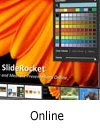
SlideRocket allows you to quickly create stunning presentations, store, organize, tag and search your assets, collaborate and share your presentations, all in one integrated environment.
What do you think of SlideRocket?
Enhance Your Presentations
Wednesday, July 22, 2009

OmniDazzle is a set of fun and useful enhancements that help you highlight certain areas of your screen, create visual effects, and track the location of your mouse pointer. Very useful for presentations.
What do you think of OmniDazzle?
Office Suite for the KDE Platform
Thursday, July 2, 2009

KOffice is an integrated office suite built on the KDE platform. It utilizes free and open standards like OpenDocument for its document formats, component communication and component embedding.
What do you think of KOffice?
PowerPoint Game Templates
Wednesday, June 24, 2009

All the games provided were created in PowerPoint. You can download the templates and modify the games to fit your own curriculum needs. Links to other PowerPoint games and templates also provided.
What do you think of PowerPoint Games?
Create Interactive Presentations with VUE
Monday, May 11, 2009

The Visual Understanding Environment (VUE) is a project focused on creating flexible tools for managing and integrating digital resources in support of teaching, learning and research. VUE provides a flexible visual environment for structuring, presenting, and sharing digital information.
What do you think of VUE?
Create Zoom Presentations with Prezi
Wednesday, April 15, 2009

Prezi allows anyone who can sketch an idea on a napkin to create and perform stunning non-linear presentations with relations, zooming into details, and adjusting to the time left without the need to skip slides.
What do you think of Prezi?
Screen Zoom for Presentations
Sunday, March 15, 2009

ZoomIt is a screen zoom and annotation tool for presentations. ZoomIt runs unobtrusively in the tray and activates with customizable hotkeys to zoom in on an area of the screen, move around while zoomed, and draw on the zoomed image.
What do you think of ZoomIt?
Choose Suitable Chart Templates
Saturday, February 28, 2009

Choose the correct type of chart using the filters provided. Then download the chart as Excel or PowerPoint template and insert your data as required. Seventeen different charts available.
What do you think of Chart Chooser?
Create Presentations Online
Wednesday, December 3, 2008

Preezo is an Ajax web application that gives you the power to create and share professional quality presentations over the web without software or plugins.
What do you think of Preezo?
Create Interactive Online Presentations
Sunday, November 30, 2008

Flowgram allows you to combine information from multiple webpages, photos, and other documents and share this information with anyone in an interactive online presentation. Site Discontinued June 2009
What do you think of Flowgram?
Convert PowerPoint to Video
Friday, September 5, 2008
E.M. Free PowerPoint Video Converter is an all-in-one PowerPoint to video converter. It can convert PowerPoint presentations to AVI, MPG, WMV, BMP images and MP3 audio.
What do you think of E. M. Free PowerPoint Video Converter?
Add Web Pages to your Presentation
Sunday, August 24, 2008

Use LiveWeb to insert web pages into a PowerPoint slide and refresh the pages real-time during slide show. Display web pages without leaving your PowerPoint slide show. No coding required. Also works with documents on your local drive.
What do you think of LiveWeb?




